


Bank of America Mobile Banking
4.6440.99K Reviews
App Specs
- Version
- 26.08.02
- Updated On
- License
- Free
- Downloads
- 50,000,000+
- Developer
- Bank of America
- Categories
- Finance
- Platform
- Android, iOS
Screenshots
 Analysis by AppCompare
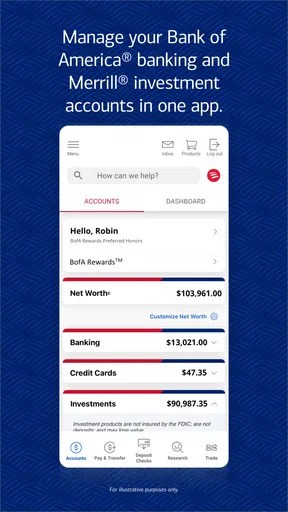
When I judge a banking app, I care less about how polished it looks than whether it helps me make careful decisions when money is involved. Bank of America Mobile Banking is built for customers who want everyday banking, budgeting and investing tools in one place, with Bank of America behind it. That makes it a natural fit if you already bank with the company; it is less compelling if you want a single app that gathers accounts from many different banks.
It is a free finance app for everyone, and its current version is 25.12.02, with iOS 11 as the minimum operating system. Its 4.6 average from around 1.2 million ratings and more than 50 million installs suggest that many people use it, though popularity alone is not a reason to trust any financial tool. I would still make my choice based on whether its account access, controls and day-to-day workflow match the way I handle money.
Everyday banking, with practical trade-offs
For a customer who mainly needs to check balances, move money, pay bills and keep an eye on activity, using the bank’s own app can be more direct than relying on a general-purpose finance tracker. There is less reason to switch between tools for routine account tasks. The trade-off is that the experience is centered on Bank of America rather than on comparing a broad collection of accounts across institutions.
A realistic use case is checking an account before paying a bill, then reviewing the activity afterward to make sure the transaction appears as expected. I find that kind of short, repeatable workflow more useful than opening an app only when something has gone wrong. Alerts can also help bring account activity to my attention, but they work best as prompts to review a transaction—not as a replacement for checking statements or investigating anything unfamiliar.
Trust starts with what I can verify
A banking app deserves a more cautious standard than a shopping or entertainment app because it deals with sensitive financial decisions. I would look at the permissions it requests on the device, read the privacy information presented in the app and app store, and pay attention to the choices I am offered before enabling optional services. A familiar bank name does not remove the need to understand what I am agreeing to.
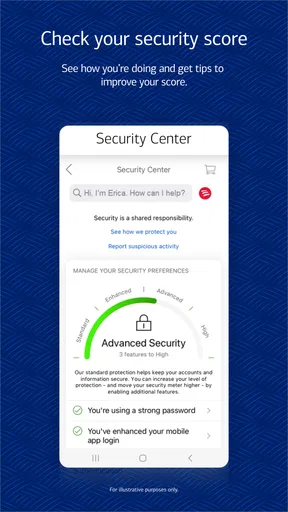
I also treat sign-in convenience and account security as separate questions. Fingerprint sign-in or Face ID can make access easier, but I would still protect the phone itself, use a strong device passcode and avoid signing in on a device I do not control. If I receive an unexpected message or alert, I would open the app directly rather than follow an unfamiliar link. Those habits matter even when an app provides security tools.
Controls are useful only when you make them yours
Alerts are most helpful when they are chosen with a purpose. Rather than switching on every notification and eventually ignoring them, I would start with the account activity I most want to notice and adjust the settings as my needs change. For example, someone who regularly pays bills from the app may care more about payment and balance activity, while a person checking in only occasionally may prefer fewer interruptions and a deliberate review routine.
Worth Reading Before You Choose

Baby Panda World Brings Quick Play to Modern Phones, but Its Game Library Feels Busy

ESPN’s Live Game View Makes Following Close Games Easier

QuizzLand Review: A Good Fit for Short Trivia Breaks, Not Every Player

Basketball Stars: Multiplayer Is Fast, but Can It Recover When Matches Go Wrong?

WEBTOON Turns Phone Updates Into a Better Reading Routine

Link to Windows Runs on Shared Habits, Not Social Feeds
Before relying on a mobile workflow for an important payment or transfer, I would also check the details on the confirmation screen and keep a record of the transaction where appropriate. A quick glance can catch a mistaken amount or recipient before the action is complete. This is a simple habit, but it is more dependable than assuming that a convenient interface will prevent every error.
Budgeting without mistaking a view for a plan
The budgeting tools can be a helpful starting point for understanding spending, especially if I already use the app to manage my bank account. Reviewing categories and patterns can make recurring costs easier to spot. Still, a spending summary is not the same as a complete financial plan: it cannot decide which trade-offs matter to me, and a budget only helps if I revisit it and act on what I learn.
One practical approach is to check spending at a consistent time each week, then choose one adjustment rather than trying to overhaul everything at once. I would compare the app’s view with my own records when a category looks surprising, since timing, pending activity or a transaction I do not recognize may affect what I see. That makes the tool more useful as a prompt for questions than as an unquestioned verdict on my finances.
Choosing between a bank app and a broader money tool
Compared with a standalone budgeting app, a bank’s own mobile app is appealing when the main goal is to handle that bank’s accounts and routine transactions in one place. A separate finance tool may suit someone who wants a wider view of accounts held at several institutions or prefers a dedicated budgeting workflow. The better option depends on whether convenience within one banking relationship or a consolidated view matters more.
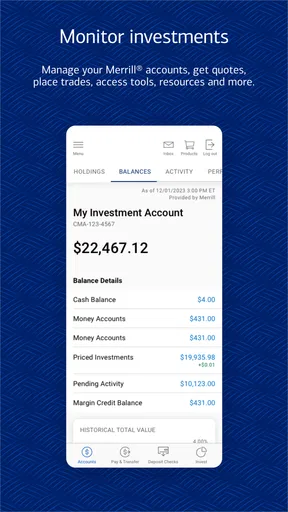
I would also separate investing from everyday banking when deciding what I expect the app to do. Having banking and investing represented in the same overall service can be convenient, but it does not make an investing decision simple or remove the need to understand risk. If I want detailed research, specialized analysis or a particular investing interface, I would compare dedicated options rather than assume a general banking app is the best fit.
When the app is—and is not—the right choice
I would recommend it first to someone who already uses Bank of America and wants to manage common banking tasks from a phone. It is also a reasonable choice for people who like checking activity and budgets alongside their banking, provided they are comfortable keeping those routines inside one bank’s ecosystem. Before installing, I would make sure the phone meets the minimum operating-system requirement and that I can access my account credentials securely.
It is not the obvious choice for someone who does not bank with Bank of America, wants a neutral dashboard across multiple banks, or prefers to do sensitive transactions only on a computer. A person who rarely needs mobile access may find that the convenience does not justify adding another financial app to a phone. If I were helping a friend decide, I would ask what task they actually want to make easier before recommending an installation.
Helpful habits for sensitive moments
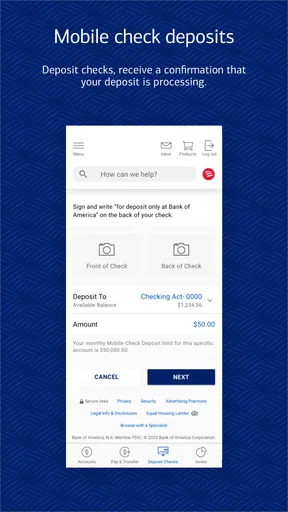
When setting up any banking app, I would take a moment to inspect the available sign-in and notification choices instead of accepting defaults automatically. I would keep the phone’s operating system current, use a secure lock screen and avoid reviewing account details on a shared device. If I plan to use check deposit, I would follow the in-app instructions carefully, check that the image and details are clear before submitting, and retain the check until the deposit has been handled according to the bank’s guidance.
For travel, I would review the account and contact options before leaving rather than waiting until a payment is declined or a question becomes urgent. The app includes a way to notify the bank about travel plans, which can be useful preparation for overseas transactions. I would still keep a backup payment method and know how to contact the bank if my phone is lost or unavailable; relying on one device for every financial task creates an avoidable weak point.
Bank of America developed the app, and its large user base makes it easy to find, but neither fact settles whether its controls suit an individual. I would read each permission request in context and decide whether the requested access makes sense for the task I am trying to complete. If I am unsure about a setting or a message, I would pause and use a trusted route to contact the bank instead of guessing.
A practical view of the experience
My overall impression is that this is most valuable as a daily access point, not as a substitute for careful financial judgment. Its mix of banking, budgeting and investing gives existing customers several reasons to open it, while the familiar phone-based workflow can make routine checks less cumbersome. At the same time, a mobile screen encourages quick decisions, so I would slow down for transfers, unfamiliar activity and any choice involving sensitive account access.
There are questions I would answer before making it part of my routine: Does my phone meet the operating-system requirement? Am I comfortable managing these tasks through Bank of America rather than a multi-bank service? Which alerts will genuinely help me notice important activity? And do I understand the permissions and privacy choices presented during setup? Thinking through those points is more useful than installing an app simply because it is popular.
For someone already banking with the company, I think the convenience can justify trying it, especially for regular account checks and everyday transactions. I would keep notifications selective, verify important details before submitting anything, and continue reviewing account activity rather than treating alerts as complete protection. If those habits fit your approach, the app can make routine banking easier without asking you to hand over your judgment.
Features That Make Banking a Breeze
First off, the app is incredibly user-friendly. From the moment you log in, the interface is sleek and easy to navigate. Whether you’re tech-savvy or just starting with mobile banking, the app makes it super simple to find what you need. The Bank of America Mobile Banking app offers a plethora of features that cater to all your banking needs without the hassle of visiting a branch.
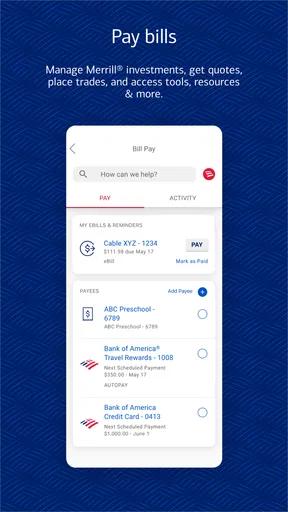
One of my favorite features is the ability to deposit checks using the app. Simply snap a photo of the check, and voila, the money is on its way to your account. It’s like having a bank teller in your pocket! Plus, the app allows you to pay bills, transfer funds, and even set up alerts for account activity, ensuring you’re always in the loop.
Security and Peace of Mind
Let’s face it, security is a big deal when it comes to mobile banking, and rightly so. The app offers multiple layers of security, including fingerprint sign-in and Face ID, which is a huge relief for those of us who tend to forget passwords. You can also receive real-time fraud alerts, providing an extra layer of protection and peace of mind.
Furthermore, the app supports secure messaging, allowing you to communicate with customer service without leaving the app. It’s efficient and makes resolving issues a breeze.
Personal Finance Management
What’s also impressive is how the app offers tools to help manage your finances. With features like Spending & Budgeting, you can track your expenses and set budgets that align with your financial goals. It’s like having a personal financial advisor right on your phone!
"If you’re serious about keeping your finances in check, this app is a must-have."
And if you’re planning a trip abroad, the app makes it easy to notify the bank of your travel plans, so you don’t run into any hiccups while making transactions overseas.
Final Thoughts
In conclusion, the Bank of America Mobile Banking app is more than just a convenience; it’s a powerful tool that brings the bank to your fingertips. With its robust features, top-notch security, and intuitive design, it’s no wonder why so many people, myself included, rely on it for their everyday banking needs. If you haven’t tried it yet, I highly recommend downloading it and experiencing the convenience for yourself.
Ready to make banking easier? Download the app today and take control of your finances like never before.
Pros
- User-friendly interface with intuitive navigation.
- Secure login with fingerprint and Face ID options.
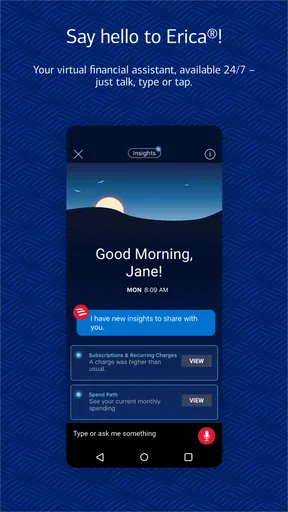
- Real-time alerts for account activities.
- Wide range of financial management tools.
- Easy access to customer support via chat.
Cons
- Limited functionality outside the U.S.
- Occasional app crashes reported by users.
- Some features require a stable internet connection.
- High data usage for certain transactions.
- Limited customization for notification settings.
FAQs for Bank of America Mobile Banking
How secure is the Bank of America Mobile Banking app?
Security is a top priority for the Bank of America Mobile Banking app. It uses advanced encryption technology to protect your personal and financial information. The app also offers fingerprint and facial recognition for an extra layer of security. Additionally, you can set up alerts for suspicious activity and lock your debit card directly from the app.
Can I deposit checks using the Bank of America Mobile Banking app?
Yes, the Bank of America Mobile Banking app allows you to deposit checks easily. Simply use the Mobile Deposit feature by taking a photo of the front and back of your check. This feature is convenient and saves you a trip to the bank. Ensure the check is endorsed before submission to avoid any issues.
What features does the Bank of America Mobile Banking app offer?
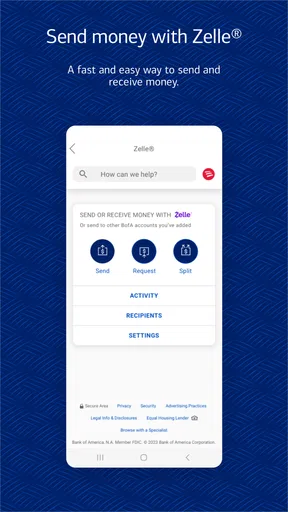
The app provides a wide range of features, including account balance checks, transaction history, bill payments, and money transfers. It's equipped with budgeting tools and spending insights to help you manage your finances better. You can also locate nearby ATMs and branches directly from the app.
Is the Bank of America Mobile Banking app free to use?
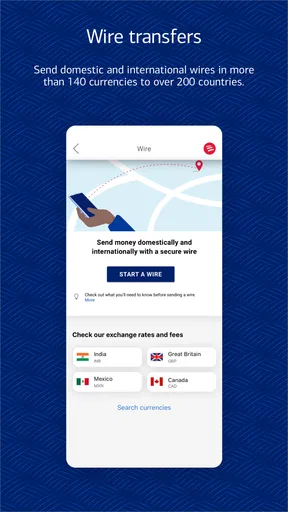
The app itself is free to download and use. However, standard data charges from your mobile carrier may apply. Additionally, certain transactions, like wire transfers, may incur fees as per Bank of America's standard policies. It's advised to check with your carrier and the bank for detailed fee structures.
What should I do if I encounter technical issues with the app?
If you experience technical issues with the Bank of America Mobile Banking app, first try closing and reopening the app. Ensure your device's software is up to date and check your internet connection. If problems persist, contact Bank of America’s customer support for assistance. They offer 24/7 support to resolve any app-related issues.


